Oct 26, 2026
Oct 26, 2026
by GPS
Browse through any social media channel, and you will notice that the photos that halt thumbs are never flat. They have an air of depth, texture, and slight imprecision, as if created by human hands. The collage effect returns, and it's being reworked with the help of an AI image editor built into the software.
Rather than spending hours editing, it's now possible to create complex multi-layered designs with well-crafted text suggestions.
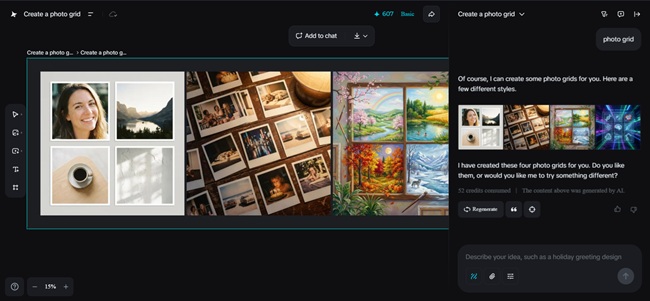
Collage art and its visual appeal on social media
Collage art lends itself beautifully to social media because it looks like it was created especially for you. A photograph overlaid on a painted background, a text overlaid with a torn paper texture, or an artistically drawn design hovering above a portrait communicates to the viewer that someone took the time to put that together for them. Dreamina lets you achieve the same effect at lightning-fast speeds.
Whether you're managing a brand or a small business, or running a personal profile, the use of collage images adds an engagement factor to your postings, so they appear to be stories, not advertisements.
Why collage visuals perform well as social media feeds
Collage art lends itself readily to the online browsing experience. It looks playful, layered, and dynamic, and it feels less finished and more human than traditional design. It's just the combination that people want.
An effective collage should consist of:
All these layers give the viewer's eyes movement throughout the image, helping retain their focus longer. The longer he/she focuses, the higher the chances that he/she will like, save, or share.
How Dreamina: Makes layered design simple
Classic collage design can be quite painstaking. Not only will you have to search for the images you want, cut them out, merge them, and ensure it all looks balanced, but Dreamina also lets you describe what you want created and have it done instantly.
You can ask it to create a background out of torn papers, to put a soft shadow effect behind an image, and to doodle around an object. Then you refine the outcome to get the desired effect of the collage as you had envisioned it.
Such a workflow can be most beneficial when you want to generate posters that aren't corporate in nature and are instead used as social announcements or promotional notices for the launch of your products or events.
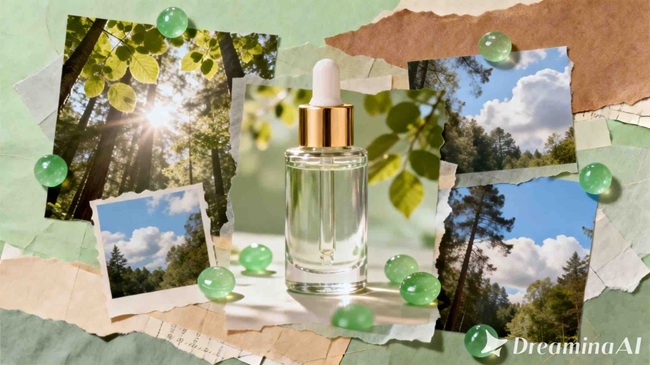
Creating narrative layers from ordinary pictures
Most collages usually begin with a simple photograph. This photograph could be a portrait, a product, or a daily photograph. On its own, the picture may seem bland. However, once arranged in a collage, the image becomes a bigger story.
Adding paint textures, patterns, or elements through illustrations adds a mood to your photo. A paper texture can give your post a nostalgic feel, while bold elements and colors can give it an energetic feel.
In addition, some artists use the base images to create their collages by passing them through Dreamina's photo enhancer to produce clearer facial images, even when set against busy textures.
Dreamina's creative playground for layered art
Here is where Dreamina really comes into her own. You are not simply creating one two-dimensional image. You are constructing an image composed of many parts that interact with one another.
Step 1: Write a text prompt
Go to Dreamina and create a descriptive prompt for writing the collage and atmosphere you want to achieve. Consider your subject, your background texture, and other details you may want to add.
Here is an example of what your prompt could be: A multi-layer digital collage of a smiling young woman with torn paper textures behind her, pastel brushstrokes around the border, and drawing of small stars in the background, as if for an Instagram takeover.
The more descriptive you can be, the better Dreamina will understand how to structure your layers.
Step 2: Parameter adjustments and generate
Select the model that works well with artistic compositions, and then the aspect ratio will depend on the platform you plan to share the collage, like Instagram for the square ratio or Instagram stories for the vertical ratio. If it's for trials like idea testing, choose the 1k size; otherwise, use 2k. Now, click the icon for Dreamina once you have everything ready to create the first draft of the layered collage.
Step 3: Customize and download
Use inpaint to touch up the areas you want to change, perhaps the color of a brush stroke or a background item. Use Expand to add more space around the edges, and Remove to delete items you consider clutter. Once you believe that the collage is well-balanced and artistic, click the Download button to complete the project and share it with the world.
Through collage postings to create the visual identity
When you post collages frequently, people will start to recognize the style you have created. Perhaps it is the paper textures, the doodles, and the always slightly offset photos. The language of the images becomes the brand you have created. This can be done even if the images created are for fun.
This helps your content to stand out over time. One can scroll through the feed without even looking at the username in order to pick out one's posts.
From single posts to campaigns
Collage art can extend beyond single postings. For instance, you can have the entire album based on a theme, such as the launch of a product, the holiday sale, or even your own projects. This is achieved by varying the images, textures, and even the color, yet maintaining the theme.
This is a great way to give your page a sense of being carefully curated rather than random. This is appreciated by both your audience and search algorithms.
It all ties together now with Dreamina
Collage art, with its multi-layered approach, also lets you transform common photographs into compelling, jaw-dropping narratives. It offers you the opportunity to blend photography, illustration, and texture to create something that looks handmade, even though it might be created digitally.
Dreamina provides an easy means to accomplish all of the above. You do not have to be a skilled designer to create sophisticated, multi-tiered images with immortality. All it needs is some creativity, a well-thought-out question, along with some tweaking, and you can design collages that draw viewers into your world.
So, the next time you want your social media update to feel like art instead of content, feel free to open Dreamina.
03-Feb-2026
More by : GPS